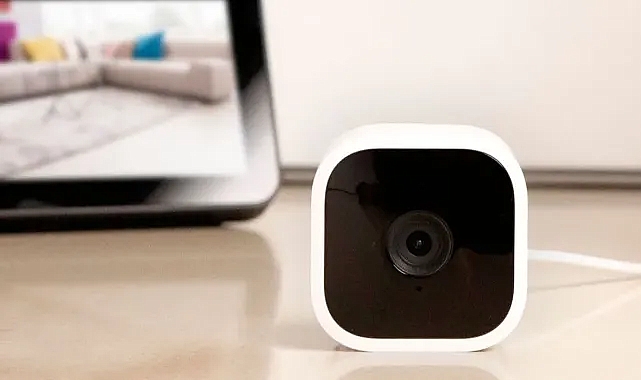
Setting up your Blink camera to connect to your Wi-Fi network is essential for ensuring that your security system works seamlessly. This guide will walk you through the steps to get your Blink camera connected to Wi-Fi quickly and easily.
Step 1: Unbox and Prepare Your Camera
Before you start the setup process, ensure that you have all the necessary components:
- Blink camera
- Sync Module (if applicable)
- Power adapter and USB cable
- Mounting hardware
Place your camera near your Wi-Fi router during the initial setup to ensure a strong signal.
Step 2: Download the Blink App
To begin the setup, download the Blink Home Monitor app from the App Store (iOS) or Google Play Store (Android). Once downloaded, open the app and create an account or log in if you already have one.
Step 3: Set Up the Sync Module
If your Blink system includes a Sync Module, plug it into a power outlet near your router. Open the Blink app, select the option to add a device, and choose the Sync Module. Follow the on-screen instructions to connect the Sync Module to your Wi-Fi network.
Step 4: Add Your Blink Camera
Once the Sync Module is connected, it's time to add your Blink camera. In the Blink app, select "Add Device" and choose your camera model. Follow the app's instructions, which typically involve scanning a QR code on the camera and entering your Wi-Fi network details.
Step 5: Position Your Camera
After connecting your camera to Wi-Fi, you can now place it in your desired location. Ensure it has a strong Wi-Fi signal and a clear view of the area you want to monitor. Use the mounting hardware to secure the camera.
Step 6: Test the Connection
Once your camera is in place, test the connection by viewing the live feed in the Blink app. Ensure the video quality is clear and there is minimal lag. If you experience any issues, try repositioning the camera or adjusting your router’s location to improve signal strength.
Troubleshooting Tips
- Weak Signal: If your camera has a weak Wi-Fi signal, consider moving your router closer to the camera or using a Wi-Fi extender.
- Firmware Updates: Ensure your camera and Sync Module have the latest firmware updates, which can be managed through the Blink app.
- Network Compatibility: Blink cameras typically support 2.4 GHz Wi-Fi networks. Ensure your network is compatible.
By following these steps, you can seamlessly integrate your Blink camera with your Wi-Fi network, providing you with a reliable and effective home security solution. Enjoy the peace of mind that comes with knowing your home is being monitored, no matter where you are.